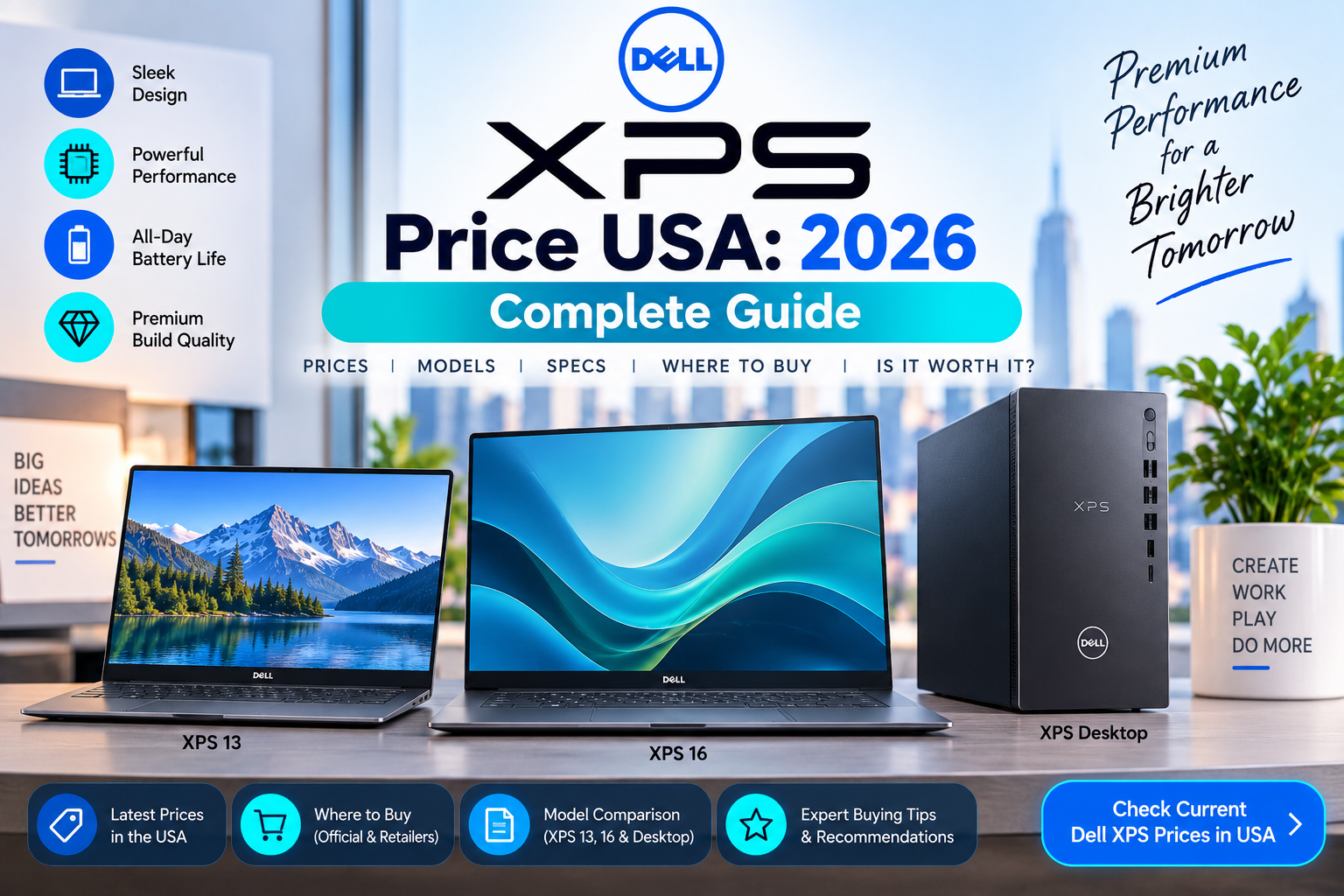
The Dell XPS price in the USA currently starts at about $699.99 for the new XPS 13. Higher-spec XPS configurations can cost $1,000–$2,000+, depending on the processor, RAM, storage, display, and model. Dell’s current U.S. XPS lineup includes the XPS 13, XPS 14, and XPS 16.
As of September 15, 2026, the XPS 13 is the most affordable entry point into Dell’s premium XPS family. Dell currently lists a base XPS 13 with a Series 3 Intel Core 5 processor, 8GB RAM, 256GB SSD, and 13.4-inch 2.5K touchscreen for $699.99.
Quick Answer: How Much Does a Dell XPS Cost?
Current U.S. Dell XPS pricing generally falls into these ranges:
| Dell XPS Model | Typical USA Price |
|---|---|
| XPS 13 | $700–$1,800+ |
| XPS 14 | $1,000–$2,000+ |
| XPS 16 | $1,500–$3,000+ |
| High-end XPS configurations | $2,000–$3,500+ |
| Previous-generation XPS | Varies by retailer |
The exact price depends heavily on configuration and current Dell promotions.
Current Dell XPS 13 Price USA
The new Dell XPS 13 starts at $699.99 on Dell’s U.S. website. Eligible students can currently get student pricing starting at $599.99.
The entry configuration includes:
- Series 3 Intel Core 5-320 processor
- 8GB LPDDR5X RAM
- 256GB SSD
- Intel integrated graphics
- 13.4-inch 2.5K touchscreen
- Windows 11 Home
- Wi-Fi 7
- Bluetooth 6.0
- 2.2-pound starting weight
Dell also currently lists a 16GB RAM / 512GB SSD configuration at $899.99 and a higher configuration with an Intel Core Ultra 7 processor, 16GB RAM, and 1TB SSD at $1,499.99.
Dell XPS Price by Budget
| Budget | What You Can Expect |
|---|---|
| $600–$800 | Entry XPS 13 |
| $800–$1,000 | XPS 13 with more RAM/storage |
| $1,000–$1,500 | Higher XPS 13 or XPS 14 |
| $1,500–$2,000 | Premium XPS 13/14 or entry XPS 16 |
| $2,000–$3,000 | High-performance XPS configurations |
| $3,000+ | Maximum-spec configurations |
These are broad market ranges. Dell frequently changes promotional pricing and available configurations.
Dell XPS 13 Price Range
The XPS 13 is designed around portability.
Current Dell pricing starts at $699.99, while a higher configuration with 32GB RAM and 1TB SSD is currently listed at $1,799.99.
This means the XPS 13 can cover a surprisingly broad price range.
XPS 13 Around $700
The entry model is appropriate for:
- Web browsing
- Microsoft Office
- Schoolwork
- Streaming
- Video calls
- General productivity
The main limitation is the 8GB RAM and 256GB SSD configuration.
XPS 13 Around $900
The current $899.99 configuration upgrades to:
- 16GB RAM
- 512GB SSD
- Series 3 Intel Core 5 processor
- 13.4-inch 2.5K touchscreen
This is a more attractive configuration for users who want to keep the laptop for several years.
XPS 13 Around $1,500+
Higher configurations can include:
- Intel Core Ultra 7
- 16GB or more RAM
- 1TB SSD
- Higher-performance processor
- Premium display features
Dell currently lists one such XPS 13 configuration at $1,499.99.
Dell XPS 14 Price USA
The XPS 14 sits above the XPS 13 in Dell’s lineup.
It is aimed at users who want a larger display and more performance while retaining a premium, relatively portable design.
A reasonable U.S. market expectation is roughly $1,000–$2,000+, although the exact starting price depends on the configurations Dell is offering at a given time.
The XPS 14 is particularly suitable for:
- Professional productivity
- Programming
- Creative work
- Multitasking
- Photo editing
- Business use
- Users who want more screen space
If you’re comparing XPS 14 and XPS 16, the larger XPS 16 generally makes more sense for demanding workloads and users who want a bigger workspace.
Dell XPS 16 Price USA
The Dell XPS 16 is the larger and more performance-oriented member of the current XPS family.
For a detailed XPS 16-specific price breakdown, the next article in your list will cover that keyword separately.
For general budgeting, expect XPS 16 configurations to sit toward the upper end of the XPS range, particularly when equipped with dedicated graphics, more RAM, larger SSD storage, and higher-end processors.
What Makes Dell XPS More Expensive?
Several factors affect the final XPS price.
1. Processor
The processor is one of the biggest price differences.
Entry XPS models use lower-tier processors, while premium configurations can use higher-end Intel Core Ultra chips.
2. RAM
Dell offers different memory configurations.
Common choices include:
- 8GB
- 16GB
- 32GB
For most buyers, 16GB is a better target than 8GB if the laptop is intended for several years of use.
3. SSD Storage
Storage options can significantly affect the price.
Common configurations include:
- 256GB
- 512GB
- 1TB
- 2TB or more on selected models
A 512GB SSD is a comfortable starting point for many users.
4. Display
Higher-resolution and touchscreen displays can increase the price.
The current XPS 13 base configuration includes a 13.4-inch 2.5K touchscreen.
5. Graphics
Integrated graphics are sufficient for everyday computing.
Dedicated graphics are more useful for:
- Gaming
- Video editing
- 3D applications
- CAD
- GPU-accelerated creative work
A dedicated GPU can significantly increase the total price.
Dell XPS for Students
The XPS 13 is particularly attractive for students who need a lightweight premium laptop.
The current model weighs from 2.2 pounds, making it easy to carry between classes.
It can handle:
- Research
- Microsoft Office
- Web browsing
- Presentations
- Video calls
- Programming
- Online learning
- Note-taking
- Streaming
Dell also currently advertises special student pricing starting at $599.99 for eligible students on the new XPS 13.
Dell XPS for Business
The XPS line can work well for professionals who prioritize premium design and portability.
Business users can use an XPS for:
- Office applications
- Web applications
- Presentations
- Programming
- Financial work
- Video conferencing
- Content creation
Businesses should also consider Dell’s warranty and support options when calculating the total purchase cost.
Dell XPS for Programming
The XPS 13 is a capable development laptop.
It can be used for:
- Web development
- Python
- Java
- JavaScript
- C++
- Visual Studio Code
- Database work
- Git
- Software development
Developers working with virtual machines, containers, large codebases, or multiple development environments may benefit from 32GB RAM and a larger SSD.
Dell XPS for Video Editing
The XPS line can handle video editing, but the appropriate configuration depends on the workload.
For basic editing, a capable CPU with 16GB RAM may be enough.
For professional editing, consider:
- Higher-end processor
- 32GB RAM or more
- 1TB+ SSD
- Dedicated GPU where available
- Larger display
The XPS 16 can be more appropriate than the XPS 13 for demanding creative workloads because of its larger chassis and higher performance options.
Dell XPS for Gaming
The XPS line is not primarily a gaming-focused product family.
Some configurations can handle gaming, particularly models equipped with dedicated graphics, but Dell’s Alienware lineup is more specifically designed for gaming.
If gaming is your main priority, compare the XPS against a dedicated gaming laptop before buying.
Dell XPS Display Quality
Display quality is one of the major attractions of the XPS line.
The current XPS 13 includes a 13.4-inch 2560 × 1600 2.5K touchscreen on the entry configuration.
A higher-quality display can be useful for:
- Photo editing
- Video
- Design
- Office productivity
- Reading
- Creative work
If display quality matters to you, check the exact panel specifications rather than relying only on the XPS model name.
Dell XPS Weight and Portability
The current XPS 13 starts at only 2.2 pounds and is approximately 0.50 inches thick.
This makes it particularly attractive for:
- Students
- Travelers
- Remote workers
- Business professionals
- Frequent commuters
The larger XPS models are heavier but provide more screen space and potentially greater performance.
Dell XPS Battery Life
Battery life depends on the processor, display, workload, brightness, applications, and configuration.
Dell advertises up to 17 hours of battery life for the current XPS 13 under its specified testing conditions.
Real-world results can be lower, especially during demanding workloads such as video editing, gaming, or sustained CPU-intensive tasks.
Dell XPS Ports
The current XPS 13 uses a compact port selection designed around USB-C.
Dell lists:
- USB-C ports
- DisplayPort support
- Power delivery
- Thunderbolt 4 on selected Intel configurations
- Wi-Fi 7
- Bluetooth 6.0
The current XPS 13 does not include a traditional full-size USB-A port or built-in SD card reader, so users with older accessories may need a hub or adapter.
Dell XPS vs Dell Inspiron
The XPS line generally targets the premium segment, while Inspiron covers a broader range of affordable and mainstream computers.
| Feature | Dell XPS | Dell Inspiron |
|---|---|---|
| Positioning | Premium | Mainstream |
| Design | Premium | Varies |
| Materials | Higher-end | Varies |
| Displays | Generally better | More choices |
| Price | Higher | Lower |
| Portability | Strong | Varies |
| Value focus | Premium experience | Budget/value |
If price is your main concern, Inspiron may provide better hardware for the money.
If you prioritize design, display, portability, and premium construction, XPS is more attractive.
Dell XPS vs MacBook Air
The XPS 13 and MacBook Air are common competitors.
| Feature | Dell XPS 13 | MacBook Air |
|---|---|---|
| Operating system | Windows | macOS |
| Touchscreen | Available | No |
| Portability | Excellent | Excellent |
| Gaming | Windows advantage | More limited |
| Windows software | Native | No |
| Apple ecosystem | No | Yes |
| Hardware choice | More configuration options | More integrated |
Your choice largely depends on whether you prefer Windows or macOS.
Dell XPS Price With Accessories
The advertised laptop price is usually the price of the computer itself.
You may still need:
- USB-C hub
- External monitor
- Mouse
- External storage
- Dock
- Carrying case
- Headset
If you need a full home-office setup, include these costs in your budget.
How Much RAM Should a Dell XPS Have?
For a new XPS laptop, 16GB RAM is a sensible target for most buyers.
8GB
Suitable for:
- Basic browsing
- Office work
- Streaming
16GB
Better for:
- Multitasking
- Business
- Programming
- College
- General productivity
32GB+
Useful for:
- Video editing
- Software development
- Virtual machines
- Professional creative applications
- Heavy multitasking
Dell currently offers the XPS 13 with configurations reaching 32GB RAM.
How Much Storage Should a Dell XPS Have?
For most users:
256GB: Basic use
512GB: Best starting point for many users
1TB: Better for larger files and long-term use
2TB+: Heavy storage requirements
If you’re buying a premium laptop and expect to keep it for several years, 512GB or 1TB is usually more comfortable than 256GB.
Where to Buy Dell XPS in the USA
The main places to compare Dell XPS pricing include:
- Dell
- Best Buy
- Amazon
- Walmart
- Costco
- Other authorized retailers
Dell’s own U.S. store is particularly useful for checking exact configurations and current promotions.
Current Dell listings show the new XPS 13 starting at $699.99, while Dell’s deal pages show student pricing from $599.99.
How to Get the Best Dell XPS Price
Don’t choose an XPS simply because the listing shows a large discount.
Compare:
- Processor
- RAM
- SSD
- Display
- Graphics
- Battery
- Weight
- Ports
- Warranty
- New vs refurbished condition
- Retailer
- Final price after tax
For example, Dell currently lists the XPS 13 at $699.99 with 8GB/256GB, while a 16GB/512GB configuration is $899.99.
The extra $200 can be worthwhile if you need more memory and storage.
Is Dell XPS Worth the Price?
The XPS line is generally worth considering if you value premium design, portability, display quality, and build quality.
It may not be the best value if you only care about raw specifications.
For example, a less expensive Dell, Lenovo, HP, or ASUS laptop may offer more RAM or storage for the same money.
XPS makes more sense when you want a premium Windows laptop rather than simply the cheapest laptop with a particular processor.
Dell XPS Price USA: FAQs
How much does a Dell XPS cost in the USA?
The new Dell XPS 13 currently starts at $699.99 in the U.S. Higher configurations can reach around $1,800 or more.
What is the cheapest Dell XPS?
The current entry-level XPS 13 starts at $699.99, while eligible students can currently receive special pricing starting at $599.99.
Is Dell XPS good for students?
Yes. The XPS 13 is lightweight and suitable for schoolwork, programming, research, presentations, and general productivity.
Is Dell XPS good for business?
Yes. XPS laptops are suitable for many business workloads, especially when configured with enough RAM and storage.
Is Dell XPS good for gaming?
It depends on the configuration, but XPS is not Dell’s primary gaming line. Alienware and Dell gaming systems are generally better choices for serious gaming.
How much RAM should I get in a Dell XPS?
16GB is a good target for most users. Choose 32GB if you regularly perform demanding professional workloads or heavy multitasking.
Is 256GB enough storage for Dell XPS?
It can be enough for basic users, but 512GB is a more comfortable choice for many buyers.
Which is better, Dell XPS or Inspiron?
XPS is the more premium line. Inspiron generally focuses more on affordability and value.
Which is better, Dell XPS or MacBook Air?
Neither is universally better. XPS is attractive if you want Windows, touchscreen options, and broader PC compatibility, while MacBook Air is attractive if you prefer macOS and Apple’s ecosystem.
Is Dell XPS worth buying in 2026?
Yes, particularly if you want a premium Windows laptop with a lightweight design and high-quality display. Compare the exact configuration and price before purchasing.
Bottom Line
The Dell XPS price in the USA currently starts at around $699.99 for the new XPS 13. A more balanced configuration with 16GB RAM and 512GB SSD costs $899.99, while higher-end XPS 13 configurations can reach $1,500–$1,800+.
For most buyers, the $800–$1,500 range offers a good selection of XPS configurations. If you need more performance, a larger display, or dedicated graphics, the XPS 14 and XPS 16 can push the price considerably higher.
The most important thing is to compare the processor, RAM, storage, display, graphics, and final sale price rather than choosing an XPS based only on the model name.
Price checked: September 15, 2026. Dell pricing can change with configuration, promotions, student discounts, retailer offers, taxes, and availability.