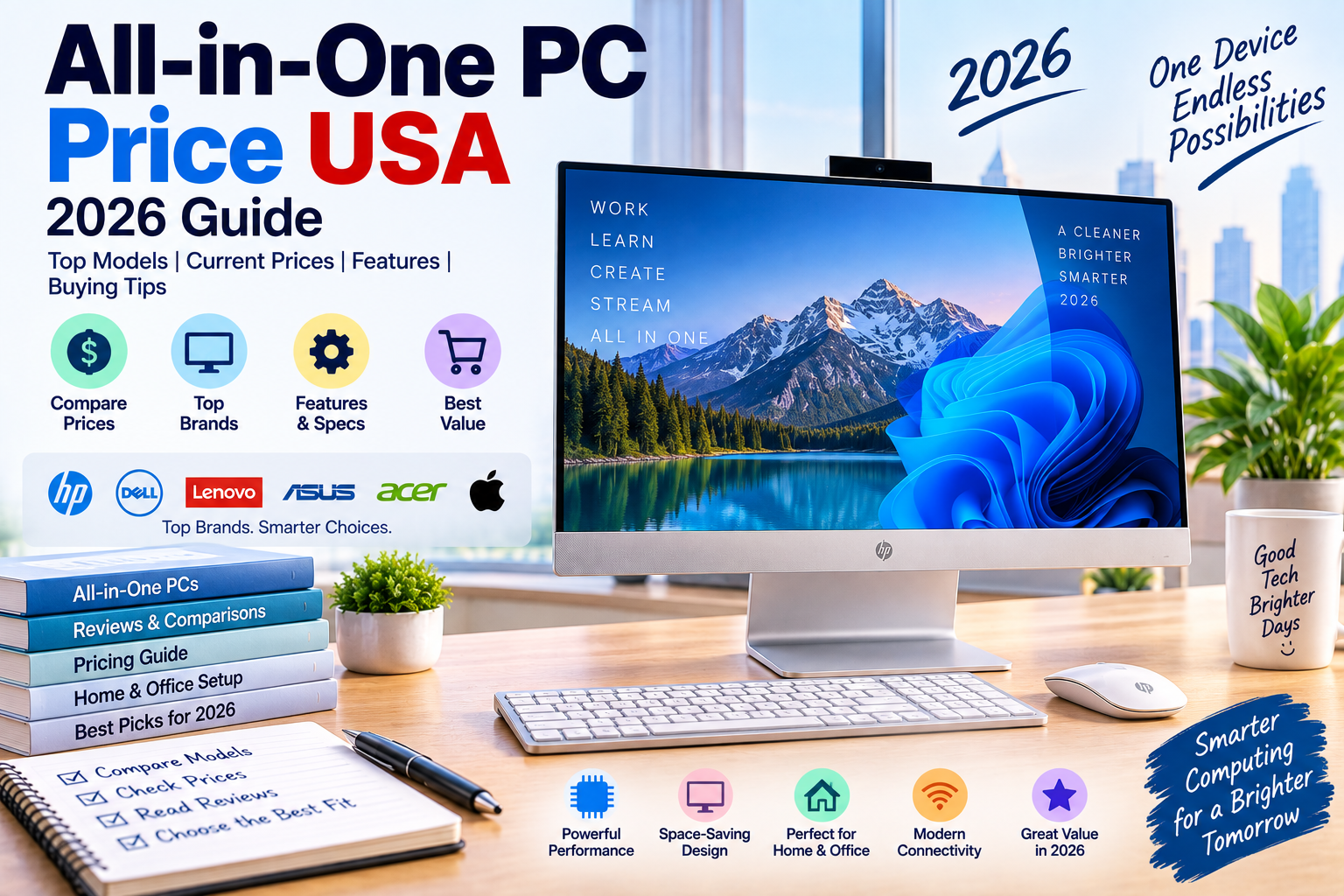
The all-in-one PC price in the USA typically ranges from about $500 to $2,000+ in 2026. Budget models are designed for everyday home and office use, while premium all-in-one computers offer better processors, larger displays, more memory, and stronger graphics performance.
Unlike a traditional desktop tower, an all-in-one PC combines the computer hardware, display, speakers, webcam, and other components into one unit. This makes it a popular choice for people who want a clean desk setup without a separate computer tower.
As of September 15, 2026, current U.S. pricing varies significantly depending on the brand, screen size, processor, RAM, storage, touchscreen features, and operating system.
Quick Answer: How Much Does an All-in-One PC Cost?
Typical U.S. prices are:
| All-in-One PC Type | Typical USA Price |
|---|---|
| Budget AIO PC | $500–$700 |
| Basic home/office AIO | $600–$900 |
| Mid-range AIO | $800–$1,200 |
| Premium Windows AIO | $1,000–$1,600 |
| Apple iMac | $1,000–$2,000+ |
| Touchscreen AIO | $700–$1,500+ |
| High-end AIO | $1,500–$2,500+ |
These are practical market ranges. Actual prices can change because of sales, configurations, retailer promotions, taxes, and availability.
Current All-in-One PC Prices in the USA
Current Dell listings demonstrate how much configuration can affect the price.
A Dell Inspiron 24 all-in-one with a 13th-generation Intel Core i3, 8GB RAM, 256GB SSD, and 23.8-inch Full HD display was listed at $499.99 when checked.
A higher-spec Inspiron 24 configuration with a Core i7, 16GB RAM, 512GB SSD, NVIDIA GeForce MX550 graphics, and 23.8-inch touchscreen was listed at $899.99.
Dell’s newer 24-inch all-in-one line currently shows starting prices around $849.99, while another configuration starts at $1,299.99.
This shows why comparing the complete specifications is more useful than comparing the advertised price alone.
All-in-One PC Price by Budget
Under $600
A budget of $500–$600 can get you an entry-level all-in-one PC.
These computers are generally suitable for:
- Web browsing
- Microsoft Office
- Online classes
- Video streaming
- Social media
- Basic home computing
- Light multitasking
At this price, you may find 8GB of RAM and 256GB storage, although a discounted model with 16GB RAM or a larger SSD can offer considerably better value.
$600–$900
The $600–$900 range is one of the most useful price ranges for home and office users.
You can often find:
- Intel Core i5-class processors
- AMD Ryzen 5 processors
- 8GB–16GB RAM
- 256GB–1TB SSD
- 23.8-inch or similar displays
- Full HD resolution
- Wi-Fi and Bluetooth
- Optional touchscreen
For general productivity, this range offers a good balance between price and performance.
$900–$1,300
At $900–$1,300, you can move into more capable configurations.
Depending on the manufacturer, you may get:
- 16GB RAM
- 512GB or 1TB SSD
- Faster processors
- Better displays
- Touchscreen support
- Better webcams
- More premium designs
- Dedicated entry-level graphics on selected models
This is a good range for users who want a more comfortable long-term computer rather than the cheapest available option.
$1,300+
Premium all-in-one computers can cost $1,300–$2,000+.
At this level, you’re paying for a combination of stronger hardware, higher-quality displays, premium materials, brand ecosystem, and additional features.
Apple’s iMac is one of the best-known premium all-in-one computers, while Windows alternatives from major manufacturers occupy several different price points.
All-in-One PC vs Desktop Tower
The biggest difference is the design.
A traditional desktop has a separate computer tower and monitor. An all-in-one integrates the computer into the display.
| Feature | All-in-One PC | Desktop Tower |
|---|---|---|
| Computer + display | Integrated | Separate |
| Desk space | Less | More |
| Cable clutter | Low | Higher |
| Upgradeability | Limited | Usually better |
| Portability | Limited | Poor |
| Setup | Very easy | More components |
| Gaming upgrades | Limited | Easier |
| Display replacement | More difficult | Easy |
If you want a clean, simple workspace, an all-in-one can be a better choice.
If you want maximum upgradeability and gaming performance, a traditional desktop is usually more flexible.
Are All-in-One PCs Worth It?
An all-in-one PC can be worth buying if you value simplicity, appearance, and space-saving design.
The biggest advantage is that you don’t need to separately purchase a monitor.
You also avoid the cable clutter created by a traditional desktop tower.
However, all-in-one computers often sacrifice some upgradeability. If a major internal component becomes outdated, replacing the entire system may make more sense than upgrading individual parts.
Best All-in-One PC Specs for Home Use
For ordinary home computing, you don’t need an extremely powerful configuration.
A good target is:
Processor: Intel Core 5/Core i5 or AMD Ryzen 5 class
RAM: 16GB
Storage: 512GB SSD or 1TB SSD
Display: 23.8-inch or larger Full HD display
Graphics: Integrated graphics
Operating system: Windows 11
This configuration is suitable for:
- Web browsing
- Office work
- Streaming
- Video calls
- Schoolwork
- General multitasking
Best All-in-One PC Specs for Business
Business users should focus on reliability and long-term usability.
A good business AIO should ideally have:
- 16GB RAM
- 512GB or larger SSD
- Modern processor
- Good webcam
- Wi-Fi 6 or newer where available
- Multiple USB ports
- HDMI or DisplayPort support where needed
- Business-class warranty
- Windows 11 Pro if required by the organization
For businesses, spending a little more on memory and storage can be worthwhile because replacing computers frequently can cost more over time.
Touchscreen All-in-One PC Prices
Touchscreen models generally cost more than comparable non-touch systems.
A touchscreen can be useful for:
- Creative work
- Point-of-sale environments
- Presentations
- Kiosks
- Family use
- Interactive applications
However, don’t pay extra for touch if you rarely plan to use it.
For standard office work, a good non-touch display may offer better value.
Apple iMac vs Windows All-in-One PCs
The iMac is Apple’s best-known all-in-one desktop.
Windows AIO computers are available from manufacturers such as Dell, HP, Lenovo, and others.
The main differences are the operating system and ecosystem.
| Feature | Apple iMac | Windows AIO |
|---|---|---|
| Operating system | macOS | Windows |
| Hardware choices | Limited | More choices |
| Ecosystem | Apple | Microsoft/Windows |
| Gaming | Limited | More options |
| Upgradeability | Limited | Varies |
| Design | Premium | Varies |
| Price range | Premium | Budget to premium |
If you already use an iPhone, iPad, or other Apple products, the iMac can be particularly convenient because of Apple’s ecosystem.
For broader software compatibility and more hardware choices, Windows AIO computers offer more flexibility.
All-in-One PC Screen Sizes
Most consumer all-in-one computers use displays around 23–27 inches, although larger options exist.
21–22 Inches
Smaller screens can be useful when desk space is limited.
23–24 Inches
This is a popular size for home and office use.
A 23.8-inch Full HD display provides enough screen area for everyday productivity without taking up too much desk space.
27 Inches
A 27-inch display is better if you frequently work with multiple windows, spreadsheets, documents, or creative applications.
Larger Displays
Large AIO systems are less common but can be useful for specialized workflows where screen size matters more than compactness.
How Much RAM Should an All-in-One PC Have?
For a new all-in-one PC, 16GB RAM is a good target for most users.
8GB can handle basic computing, but 16GB provides more flexibility for multitasking.
Consider 32GB if you regularly use:
- Video editing
- Large spreadsheets
- Development environments
- Virtual machines
- Professional creative software
- Heavy multitasking
How Much Storage Do You Need?
A 512GB SSD is a good starting point for many buyers.
Choose 1TB if you keep lots of:
- Photos
- Videos
- Documents
- Games
- Creative projects
A 256GB SSD can work for basic use, but storage can become restrictive once Windows, applications, and personal files accumulate.
Can You Upgrade an All-in-One PC?
Upgradeability varies considerably.
Some AIO computers allow certain components to be replaced or expanded, while others are much more difficult to upgrade.
Before buying, check whether the RAM and SSD are replaceable.
This is especially important if you plan to keep the computer for several years.
Are All-in-One PCs Good for Gaming?
Some can handle gaming, but all-in-one computers are generally not the first choice for serious PC gaming.
Many AIO systems use integrated graphics or relatively modest dedicated GPUs.
A traditional gaming desktop is usually better because it can accommodate:
- Larger graphics cards
- Better cooling
- Higher-wattage power supplies
- More storage
- More RAM
- Future GPU upgrades
An AIO can still be suitable for casual gaming or less demanding titles.
All-in-One PC Price With Accessories
One advantage of an AIO is that many of the major components are already included.
A traditional desktop setup may require:
- Desktop tower
- Monitor
- Keyboard
- Mouse
- Webcam
- Speakers
An AIO normally integrates or includes several of these components.
You may still want to purchase a better keyboard, mouse, speakers, or webcam depending on your needs.
What Affects All-in-One PC Prices?
Several factors determine the final price.
Processor
A faster CPU usually increases the cost.
RAM
Moving from 8GB to 16GB or 32GB can increase the price but may improve long-term usability.
Storage
A 1TB SSD generally costs more than a 256GB or 512GB configuration.
Display
Higher resolution, touchscreen support, better brightness, color accuracy, and higher refresh rates can increase the price.
Graphics
Dedicated graphics can make an AIO significantly more expensive.
Brand
Apple, Dell, HP, Lenovo, and other manufacturers have different pricing structures and product tiers.
Where to Buy an All-in-One PC in the USA
Major U.S. retailers and manufacturers include:
- Dell
- HP
- Lenovo
- Apple
- Best Buy
- Walmart
- Amazon
- Costco
- Newegg
Manufacturer pricing can be useful for comparing exact configurations, while retailers can sometimes offer temporary discounts.
How to Get the Best All-in-One PC Price
Don’t compare only the headline price.
Check the complete configuration before buying:
- Processor generation
- RAM
- SSD capacity
- Screen size
- Screen resolution
- Touchscreen support
- Graphics
- Webcam
- USB ports
- Warranty
- Operating system
- Upgradeability
A $700 AIO with 8GB RAM and 256GB storage may not necessarily be a better deal than a $750 system with 16GB RAM and a 512GB SSD.
Is an All-in-One PC Cheaper Than a Desktop?
Not necessarily.
The price includes the display and computer hardware in one package, so the initial price may appear higher than a basic desktop tower.
However, once you add a monitor to a traditional desktop, the price difference can become much smaller.
The biggest advantage of an AIO is usually convenience and space savings, not necessarily the lowest possible hardware cost.
All-in-One PC Price USA: FAQs
How much does an all-in-one PC cost in the USA?
Most new all-in-one PCs cost approximately $500–$2,000+. Budget systems can be found around $500–$700, while premium models can exceed $1,500.
Is $500 enough for an all-in-one PC?
Yes. Around $500 can get you a basic AIO suitable for web browsing, office work, streaming, schoolwork, and everyday computing. Current Dell listings show a 23.8-inch Inspiron configuration at $499.99.
What is a good price for an all-in-one PC?
For many users, $600–$1,000 is a strong price range. It can provide a modern processor, 16GB RAM, SSD storage, and a good-sized display depending on the current configuration and sale price.
Is an all-in-one PC good for work?
Yes. An AIO can be excellent for office work, remote work, education, web browsing, video calls, and general productivity.
Are all-in-one PCs good for gaming?
They can handle some games, but a traditional gaming desktop is usually better for demanding gaming because it offers stronger graphics options and easier upgrades.
Can you upgrade an all-in-one PC?
Some models allow RAM or storage upgrades, but upgradeability varies. Always check the specific model before purchasing.
Does an all-in-one PC include a monitor?
Yes. The display is built into the computer, which is one of the main reasons people choose an AIO.
Is an iMac an all-in-one PC?
Yes. The iMac is an all-in-one desktop computer because its computer hardware and display are integrated into a single unit.
Bottom Line
The all-in-one PC price in the USA generally falls between $500 and $2,000+ in 2026.
For basic home and office use, $500–$700 can be enough. For a more capable everyday computer, $700–$1,000 is a practical target. Premium AIO computers can cost $1,300–$2,000+, especially when they include better displays, processors, memory, storage, or premium hardware.
For most buyers, look for 16GB RAM, a 512GB SSD, a modern processor, and at least a 23.8-inch display. If gaming or future upgrades are important, consider a traditional desktop instead.
Price checked: September 15, 2026. Retail prices can change because of sales, configurations, availability, taxes, and other charges.