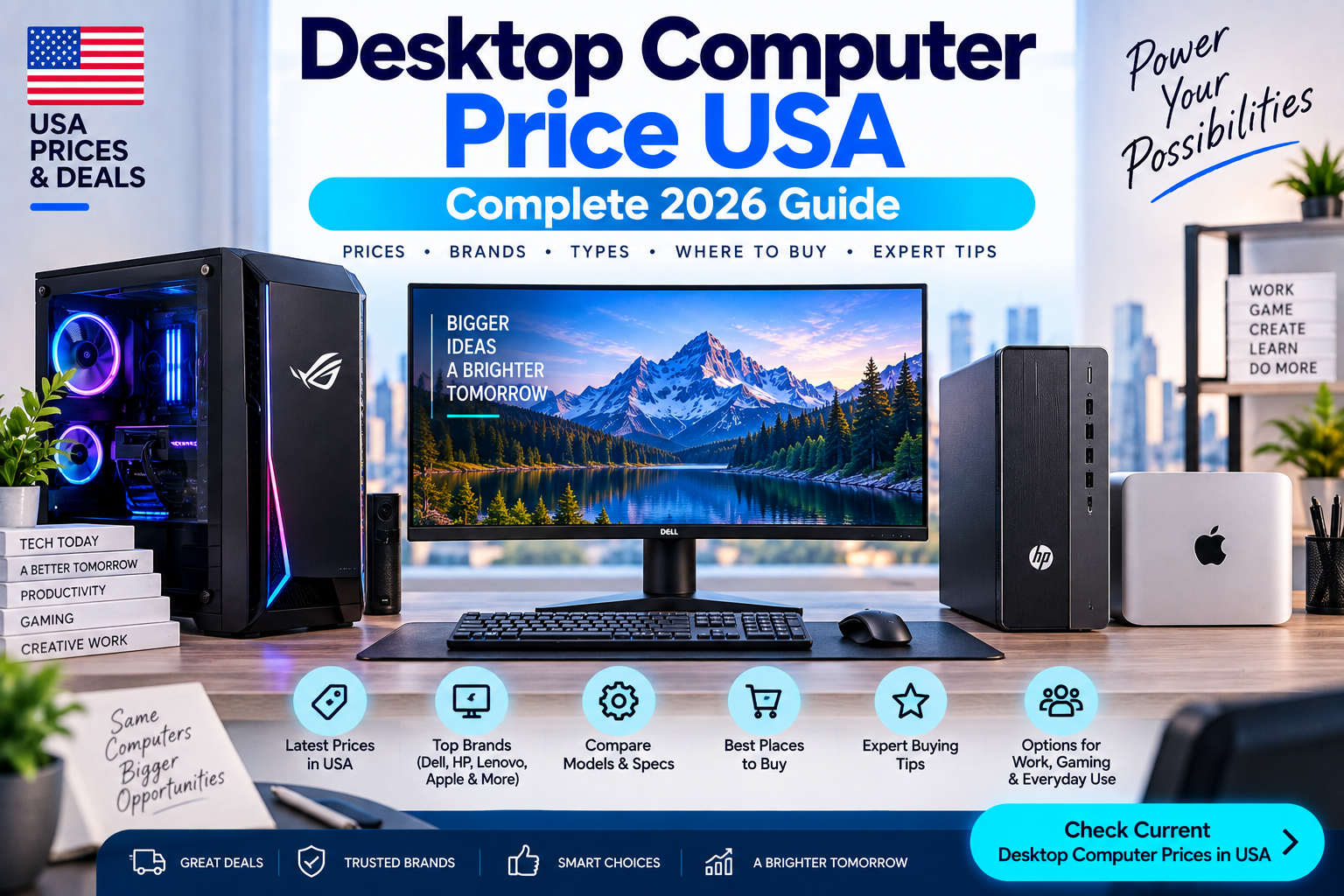
If you are looking for a desktop computer price in the USA, expect to pay roughly $400 to $2,500+ for most new systems. Basic desktops for browsing and office work can cost less, while powerful gaming PCs and professional workstations can easily exceed $2,000.
As of September 15, 2026, U.S. desktop computer prices vary widely based on the processor, RAM, SSD storage, graphics card, brand, and whether the PC is designed for everyday work, business, gaming, or professional workloads.
Quick Answer: How Much Does a Desktop Computer Cost in the USA?
A new desktop computer in the USA typically costs:
| Desktop Type | Typical Price in USA |
|---|---|
| Basic desktop PC | $350–$600 |
| Home/office desktop | $500–$900 |
| Mid-range desktop | $700–$1,200 |
| Business desktop | $700–$1,500+ |
| Gaming desktop | $800–$2,500+ |
| High-end gaming PC | $2,000–$4,000+ |
| Professional workstation | $1,500–$5,000+ |
| Mini desktop PC | $300–$1,200+ |
| All-in-one PC | $500–$2,000+ |
These are practical market ranges rather than fixed prices. Sales, configurations, storage, RAM, graphics cards, and retailer promotions can change the final price.
Desktop Computer Prices in the USA in 2026
The U.S. market has options for almost every budget.
For example, current Best Buy listings include desktop systems around the $400–$500 range, while higher-end configurations with more RAM, storage, or dedicated graphics can cost well over $1,000.
Dell and HP also sell desktop computers across multiple performance levels, from everyday home and office systems to gaming and higher-performance machines.
Desktop PC Price by Budget
| Budget | What You Can Usually Get |
|---|---|
| Under $400 | Entry-level or discounted desktop |
| $400–$600 | Basic home and office PC |
| $600–$900 | Better CPU, 16GB RAM, larger SSD |
| $900–$1,200 | Strong mid-range desktop |
| $1,200–$1,800 | Powerful productivity or gaming PC |
| $1,800–$2,500 | High-performance gaming/workstation |
| $2,500+ | Enthusiast gaming or professional workstation |
Desktop Computers Under $500
A desktop computer under $500 is mainly suitable for everyday computing.
You can use a budget desktop for:
- Web browsing
- Microsoft Office
- Online classes
- Video streaming
- Basic photo editing
- Accounting
- Light multitasking
At this price, look for at least 8GB RAM and a 256GB or 512GB SSD if possible.
An SSD is especially important because it generally makes Windows startup and everyday application loading much faster than an older mechanical hard drive.
You may find discounted systems from brands such as HP, Dell, Lenovo, Acer, and ASUS around this price range.
Desktop Computers Under $1,000
The $500–$1,000 range is a much better place to shop if you want a desktop that can remain useful for several years.
A good configuration may include:
- Intel Core 5/Core i5-class processor or AMD Ryzen 5
- 16GB RAM
- 512GB or 1TB SSD
- Windows 11
- Wi-Fi and Bluetooth
- Multiple USB ports
This class of PC is suitable for home offices, business applications, schoolwork, multitasking, programming, and general content creation.
For example, current desktop listings from major U.S. retailers include Dell and HP systems across this performance range.
Gaming Desktop Computer Price USA
Gaming PCs usually cost more because they need a dedicated graphics card, stronger cooling, and a more capable power supply.
A practical gaming desktop price range is approximately $800 to $2,500+.
| Gaming PC Level | Approximate USA Price |
|---|---|
| Entry-level gaming | $700–$1,000 |
| 1080p gaming | $900–$1,300 |
| Mid-range gaming | $1,200–$1,800 |
| High-end gaming | $1,800–$2,500+ |
| Enthusiast gaming | $2,500–$4,000+ |
Current market conditions can have a significant effect on gaming PC prices because graphics cards, memory, and storage can fluctuate in cost.
For example, a current Best Buy gaming desktop listing with an AMD Ryzen 5 processor, RTX 3050 graphics, 16GB RAM, and a 1TB SSD was listed at $1,124.99 when checked.
Business Desktop Computer Price USA
Business desktops generally focus more on reliability, serviceability, security, and long-term office use than gaming performance.
Expect to pay approximately $600–$1,500+ for many business-oriented desktop configurations.
Business users should pay particular attention to:
- Processor generation
- RAM capacity
- SSD size
- Windows edition
- Warranty
- Security features
- Number of display outputs
- USB and networking options
- Upgradeability
Dell, HP, and Lenovo all offer business-focused desktop systems in the U.S. market.
Mini Desktop PC Prices
Mini PCs are smaller than traditional desktop towers and can be useful when desk space is limited.
A typical mini PC costs approximately $300–$1,200+, although specialized high-performance mini systems can cost more.
Mini PCs are popular for:
- Home offices
- Small workspaces
- Media centers
- Basic productivity
- Programming
- Light creative work
- Digital signage
The main limitation is that some compact computers offer fewer upgrade options than a traditional desktop tower.
What Affects Desktop Computer Prices?
The biggest difference between two desktop PCs is usually the hardware inside them.
1. Processor
The CPU affects overall computing performance.
Entry-level processors are fine for basic tasks, while higher-end Core, Ryzen, and workstation processors are better for demanding applications.
2. RAM
For a new Windows desktop, 16GB RAM is a sensible target for many users.
8GB can work for basic tasks, while 32GB or more becomes useful for heavier multitasking, editing, development, virtual machines, and demanding applications.
3. SSD Storage
Storage capacity directly affects how many applications and files you can keep locally.
Common configurations include:
- 256GB SSD
- 512GB SSD
- 1TB SSD
- 2TB SSD
For most users, 512GB or 1TB is a more comfortable choice than 256GB.
4. Graphics Card
A dedicated GPU can dramatically increase the price of a desktop.
You generally need a stronger graphics card if you plan to:
- Play modern games
- Edit high-resolution video
- Work with 3D applications
- Use CAD software
- Run GPU-accelerated applications
- Create advanced visual content
For basic office work, integrated graphics are often sufficient.
5. Brand
Brand and warranty can also influence the price.
Popular desktop brands in the U.S. include:
- Dell
- HP
- Lenovo
- Acer
- ASUS
- CyberPowerPC
- iBUYPOWER
- Apple
Each brand has different product lines and configurations, so comparing specifications is more useful than comparing brand names alone.
Desktop Computer vs Laptop Price
A desktop can provide more performance per dollar, particularly when portability is not important.
| Feature | Desktop | Laptop |
|---|---|---|
| Performance per dollar | Usually better | Usually higher cost |
| Portability | Poor | Excellent |
| Upgradeability | Usually better | Limited |
| Screen included | Usually no | Yes |
| Battery | No | Yes |
| Gaming upgrades | Easier | More limited |
| Desk space | More | Less |
If you already have a monitor, keyboard, and mouse, a desktop can be particularly attractive because you only need to purchase the computer itself.
Do Desktop Computers Include a Monitor?
Usually, no.
A traditional desktop tower normally does not include a monitor, keyboard, or mouse unless the product listing specifically says otherwise.
An all-in-one PC is different because the computer hardware is integrated into the display.
This distinction is important when calculating your total setup cost.
For example, a $600 desktop might eventually cost $800–$900 after adding a monitor, keyboard, mouse, and other accessories.
Desktop Computer Price With Monitor
If you need a complete setup, consider the cost of the entire system.
| Item | Typical Price |
|---|---|
| Desktop PC | $500–$1,000 |
| 24-inch monitor | $100–$250 |
| Keyboard | $20–$100 |
| Mouse | $15–$80 |
| Speakers/headset | $20–$150 |
| Total basic setup | About $655–$1,580 |
Gaming and professional setups can cost considerably more.
Best Desktop Computer Specs for Home Use
For a normal home computer, you do not necessarily need an expensive machine.
A practical specification would be:
CPU: Intel Core 5/Core i5 or AMD Ryzen 5 class
RAM: 16GB
Storage: 512GB or 1TB SSD
Graphics: Integrated graphics for basic use
Operating system: Windows 11
Connectivity: Wi-Fi + Bluetooth
This is enough for web browsing, Office applications, streaming, schoolwork, video calls, and general multitasking.
Best Desktop Computer Specs for Gaming
Gaming requirements depend heavily on the games and resolution you plan to use.
A reasonable gaming PC should generally have:
- Modern multi-core CPU
- 16GB RAM or more
- 1TB SSD
- Dedicated graphics card
- Adequate power supply
- Good airflow
- Upgradeable motherboard/platform
If you want to play demanding games at higher resolutions or refresh rates, expect to spend more on the graphics card.
Are Desktop Computers Cheaper Than Laptops?
They can be.
A desktop does not need to include a battery, built-in display, keyboard, webcam, or compact cooling system. This allows manufacturers to put more hardware into a larger chassis.
However, remember that a desktop setup may require a separate monitor and accessories.
Therefore, compare the complete setup price, not only the computer price.
How Much Should You Spend on a Desktop Computer?
Your budget should depend on what you actually do.
For Basic Use
Spend around $400–$600.
This is enough for browsing, streaming, email, schoolwork, and basic office applications.
For Work and Productivity
Consider around $600–$1,000.
This gives you more room for 16GB RAM, larger SSD storage, and a stronger processor.
For Gaming
A budget of $900–$1,800 is a practical starting point for many gaming PCs.
Higher-end gaming can easily exceed $2,000.
For Professional Work
For 3D work, advanced video production, engineering, scientific applications, or workstation workloads, you may need $1,500–$5,000+.
Where to Buy a Desktop Computer in the USA
You can compare desktop PCs from major retailers and manufacturers including:
- Dell
- HP
- Lenovo
- Best Buy
- Walmart
- Amazon
- Newegg
- Micro Center
Dell’s U.S. desktop store currently offers traditional desktops, all-in-one systems, and gaming PCs.
Best Buy also carries a large selection of desktop and all-in-one computers, including current Dell, HP, and Lenovo models.
How to Get the Best Desktop Computer Price
Do not choose a desktop simply because it has the biggest discount percentage.
Instead, compare the actual specifications.
Check:
- CPU model
- RAM capacity
- SSD capacity
- GPU
- Power supply
- Upgrade options
- Warranty
- Operating system
- Included accessories
- Final price after taxes and shipping
A $900 computer with 16GB RAM and a 1TB SSD may offer better value than a heavily discounted $1,200 computer with older hardware.
Should You Buy a Desktop on Sale?
Yes, but check what is actually being discounted.
PC manufacturers and retailers frequently run promotions, and current September 2026 listings show substantial price differences between regular and promotional pricing.
Before buying, compare the sale configuration against competing systems rather than relying only on the claimed original price.
Desktop Computer Price USA: FAQs
How much does a desktop computer cost in the USA?
A new desktop computer commonly costs about $400–$2,500+. Basic systems can cost less, while gaming PCs and professional workstations can cost several thousand dollars.
What is a good desktop computer price?
For many home and office users, $600–$1,000 is a reasonable budget for a modern desktop with a capable processor, 16GB RAM, and SSD storage.
Is $500 enough for a desktop computer?
Yes. A $500 budget can get you a basic desktop suitable for browsing, Office work, streaming, education, and everyday computing. Gaming performance will usually be limited.
How much does a gaming desktop cost?
A gaming desktop generally starts around $700–$1,000, while stronger mid-range systems commonly cost $1,200–$1,800 or more.
Does a desktop computer come with a monitor?
Most traditional desktop towers do not include a monitor. All-in-one PCs are an exception because their computer hardware and display are integrated.
Is it cheaper to build a desktop PC?
Building your own PC can provide excellent value and greater component control, but prebuilt computers can be more convenient and sometimes become cheaper during retailer promotions.
How much RAM should a desktop computer have?
16GB is a good target for many users in 2026. Basic systems can operate with 8GB, while 32GB or more is useful for demanding multitasking, content creation, development, and professional applications.
Bottom Line
The desktop computer price in the USA depends heavily on what you need.
For basic home and office use, a budget of $400–$600 can be enough. For a more capable everyday PC, $600–$1,000 is a strong range. Gaming PCs generally start around $700–$1,000 and can climb beyond $2,500, while professional workstations can cost several thousand dollars.
For most buyers, the best approach is to compare the CPU, RAM, SSD, graphics, upgradeability, warranty, and total setup cost instead of choosing a computer based only on its advertised price.
Price checked: September 15, 2026. Prices can change with retailer promotions, configuration changes, taxes, shipping, and component costs.