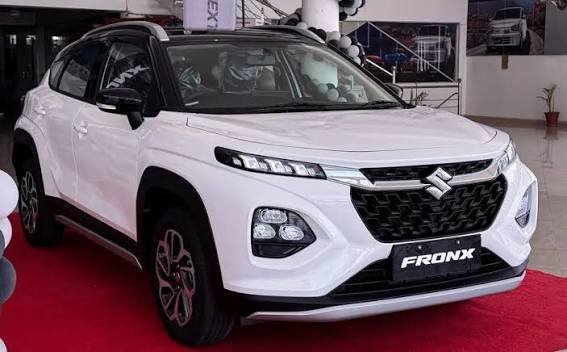
Pakistani buyers can use this car price guide to compare current models, variants, specifications, and ownership costs. The main prices were checked on September 11, 2026.
Prices vary by model, city, seller, stock, taxes, freight, and exchange rates. This guide separates listed prices from extra costs and explains what buyers should verify before paying.
Quick Answer
Car prices in Pakistan currently range from entry-level hatchbacks near Rs. 30 lakh to premium and imported vehicles costing several crores. On September 11, 2026, Honda City starts at Rs. 4,737,000, while Toyota Corolla ranges from Rs. 6,202,000 to Rs. 7,709,000 in current ex-factory listings.
TL;DR
- Honda City starts at Rs. 47.37 lakh.
- Toyota Corolla ranges up to Rs. 77.09 lakh.
- Ex-factory prices exclude several ownership costs.
- Imported cars can cost substantially more.
- City and seller can change the final amount.
- Verify invoice, warranty, registration, and delivery charges.
Current Car Price in Pakistan
Current Pakistani car prices cover a wide range of body styles and budgets. The most useful starting point is the manufacturer’s listed or authorized-dealer price.
For a buyer, the listed price is only one part of the final purchase cost. Registration, insurance, freight, taxes, documentation, and optional equipment can increase the amount.
• Suzuki Alto is listed around Rs. 29.95–33.26 lakh in the current PakWheels catalog.
• Suzuki Swift is listed around Rs. 44.60–47.66 lakh.
• Suzuki Cultus is listed around Rs. 43.59 lakh.
• Honda City is listed around Rs. 47.37–61.49 lakh.
• Toyota Yaris is listed around Rs. 46.49–60.49 lakh.
• Toyota Corolla is listed around Rs. 62.02–77.09 lakh.
• Honda Civic is listed around Rs. 84.99 lakh–Rs. 1.01 crore.
• Hyundai Elantra is listed around Rs. 1.08 crore.
• Hyundai Tucson is listed around Rs. 1.22–1.33 crore.
• Toyota Fortuner is listed around Rs. 1.24–2.05 crore.
• Toyota Land Cruiser is listed around Rs. 12 crore.
• MG HS is listed around Rs. 88 lakh–Rs. 1.02 crore.
New Car Prices by Popular Model
New-car prices are easiest to compare when each model is kept within its correct variant range. Mixing manual, automatic, hybrid, and premium trims can create misleading comparisons.
The figures below are current catalog references. They should be treated as listed prices rather than guaranteed final showroom bills.
• Suzuki Alto: Rs. 29.95–33.26 lakh, depending on variant.
• Suzuki Cultus: about Rs. 43.59 lakh.
• Suzuki Swift: Rs. 44.60–47.66 lakh.
• Toyota Yaris: Rs. 46.49–60.49 lakh.
• Honda City: Rs. 47.37–61.49 lakh.
• Toyota Corolla: Rs. 62.02–77.09 lakh.
• Honda Civic: Rs. 84.99 lakh–Rs. 1.01 crore.
• KIA Stonic: about Rs. 59.99 lakh.
• Changan Alsvin: Rs. 41.89–49.99 lakh.
• Changan Oshan X7: roughly Rs. 84.74–92.99 lakh.
• Hyundai Tucson: about Rs. 1.22–1.33 crore.
• Hyundai Sonata: about Rs. 1.15–1.65 crore.
• Toyota Fortuner: about Rs. 1.24–2.05 crore.
• Toyota Land Cruiser: about Rs. 12 crore.
Toyota Car Prices in Pakistan
Toyota remains one of the most important brands in Pakistan’s new-car market. Current prices vary significantly between compact sedans, SUVs, pickups, and large imported vehicles.
The Toyota Yaris and Corolla cover different price points, while Fortuner and Land Cruiser sit in much higher segments. Always compare equivalent trims before judging value.
• Yaris GLI MT 1.3: Rs. 4,649,000.
• Yaris GLI CVT 1.3: Rs. 4,809,000.
• Yaris ATIV MT 1.3: Rs. 4,829,000.
• Yaris ATIV CVT 1.3: Rs. 5,822,000.
• Yaris ATIV X CVT 1.5: Rs. 5,999,999.
• Corolla Altis X Manual 1.6: Rs. 6,202,000.
• Corolla Altis 1.6 X CVT-i: Rs. 6,802,000.
• Corolla Altis X CVT-i 1.8: Rs. 7,029,000.
• Corolla Special Edition: Rs. 7,339,000.
• Corolla Grande 1.8 Beige: Rs. 7,669,000.
• Corolla Grande 1.8 Black: Rs. 7,709,000.
• Fortuner: approximately Rs. 1.24–2.05 crore across listed versions.
Honda Car Prices in Pakistan
Honda’s current Pakistan lineup includes the City, Civic, and HR-V. The official Honda Pakistan page provides direct manufacturer pricing for these models.
The biggest price differences within each model come from engine, trim, equipment, and hybrid technology. The final on-road amount can also differ from the listed ex-factory figure.
• Honda City 1.2LS: Rs. 4,737,000.
• Honda City Aspire 1.5: Rs. 6,069,000.
• Honda City Aspire S 1.5: Rs. 6,149,000.
• Honda Civic Standard: Rs. 8,499,000.
• Honda Civic Oriel: Rs. 8,834,000.
• Honda Civic RS: Rs. 10,100,000.
• Honda HR-V VTI: Rs. 7,549,000.
• Honda HR-V VTI-S: Rs. 7,799,000.
• Honda HR-V e:HEV: Rs. 10,369,000.
• City engine choices: 1.2L and 1.5L petrol options.
• Civic range: starts below the HR-V e:HEV and reaches above Rs. 1 crore.
• HR-V e:HEV: carries a higher price because of its hybrid powertrain.
Suzuki Car Prices and Entry-Level Cars
Suzuki has a strong presence in the lower and mid-range Pakistani market. Buyers often compare the Alto, Cultus, and Swift because their prices overlap with different equipment levels.
Entry-level buyers should compare more than the sticker price. Fuel economy, parts, warranty coverage, transmission type, and resale demand can change the long-term cost.
• Suzuki Alto: Rs. 29.95–33.26 lakh in the current catalog.
• Suzuki Cultus: about Rs. 43.59 lakh.
• Suzuki Swift: Rs. 44.60–47.66 lakh.
• Alto: compact hatchback aimed at city driving.
• Cultus: larger hatchback with additional cabin space.
• Swift: sportier hatchback with a higher purchase price.
• Manual versions: can cost less than automatic alternatives.
• Automatic versions: generally increase purchase cost.
• Small hatchbacks: usually require less parking space.
• Urban buyers: should compare fuel and maintenance costs.
• Family buyers: should check rear-seat space before choosing.
• Used buyers: should inspect accident history and mechanical condition.
Honda City vs Toyota Yaris Price Comparison
Honda City and Toyota Yaris occupy a similar sedan category in Pakistan. Their prices overlap, but their variants and equipment are not identical.
A useful comparison should match engine size, transmission, equipment, and warranty. Comparing only the cheapest price can produce the wrong conclusion.
| Model or Variant | Current Price | Key Specification | Availability |
|---|---|---|---|
| Honda City 1.2L CVT | Rs. 4,737,000 | 1.2L, CVT, petrol | Listed |
| Honda City Aspire 1.5 | Rs. 6,069,000 | 1.5L, CVT, petrol | Listed |
| Honda City Aspire S 1.5 | Rs. 6,149,000 | 1.5L, CVT, petrol | Listed |
| Toyota Yaris GLI MT 1.3 | Rs. 4,649,000 | 1.3L, manual, petrol | Listed |
| Toyota Yaris GLI CVT 1.3 | Rs. 4,809,000 | 1.3L, CVT, petrol | Listed |
| Toyota Yaris ATIV X 1.5 | Rs. 5,999,999 | 1.5L, CVT, petrol | Listed |
The prices show why a direct model-to-model comparison needs variant matching. The base Yaris and base City are close, while higher trims move into different price points.
For a family buyer, check cabin space, boot capacity, safety equipment, service access, and resale demand. For daily city use, transmission and fuel economy deserve extra attention.
Toyota Corolla Price and Specifications
The Toyota Corolla spans several trims from the 1.6-liter entry version to the 1.8-liter Grande. Its current Pakistani price range is about Rs. 62.02–77.09 lakh.
The priced variants should not be treated as identical cars. Engine size, transmission, interior equipment, technology, and convenience features change across the range.
• Price range: Rs. 6,202,000–Rs. 7,709,000.
• Body type: sedan.
• Seating: five people.
• Engine range: roughly 1.6L to 1.8L.
• Transmission: manual and automatic/CVT-i options.
• Base variant: 1.6-liter manual.
• Mid-range variants: include 1.6-liter CVT-i options.
• Special Edition: adds higher equipment at a higher price.
• Grande: uses the 1.8-liter powertrain.
• Grande interiors: available in different listed configurations.
• Boot capacity: listed around 470 liters.
• Fuel type: petrol.
• Price difference: mainly reflects trim, engine, transmission, and equipment.
New vs Used Car Prices
A used car can cost considerably less than a comparable new vehicle, but the saving depends heavily on condition. Model year, mileage, accident history, maintenance, and ownership records matter.
Used prices also move differently from manufacturer prices. A popular model may retain substantial value, while an imported or less-supported vehicle can depreciate differently.
• New car: carries a current manufacturer or dealer price.
• Used car: depends on individual vehicle condition.
• Model year: newer examples usually command more.
• Mileage: lower mileage can support a higher asking price.
• Accident history: can reduce market value significantly.
• Service records: help verify maintenance quality.
• Tyres: replacement needs should affect negotiations.
• Battery: age and condition can create an immediate expense.
• Engine: inspect for smoke, noise, leaks, and overheating.
• Transmission: test for abnormal shifts or slipping.
• Documents: verify registration and ownership records.
• Inspection: use an independent mechanic before payment.
Car Prices by City in Pakistan
The advertised vehicle price can remain similar across cities while the final amount changes. Freight, registration, insurance, dealer charges, and local availability can affect the total.
Islamabad, Lahore, Karachi, Rawalpindi, Faisalabad, Multan, and other markets can show different used-car asking prices. New-car buyers should ask for a complete written quotation.
• Islamabad: registration and dealer charges can affect the final bill.
• Rawalpindi: nearby inventory can influence availability.
• Lahore: large dealer and used-car markets provide more choice.
• Karachi: local stock and freight arrangements can differ.
• Faisalabad: availability can vary by model and trim.
• Multan: dealer inventory may differ from larger cities.
• Peshawar: imported and used vehicles can have different market patterns.
• New cars: manufacturer pricing provides a useful baseline.
• Used cars: city-specific asking prices require direct inspection.
• Registration: should be calculated separately for the buyer’s location.
• Insurance: obtain a separate quotation when calculating ownership cost.
• Delivery: confirm whether transportation is included in the quotation.
Ex-Factory vs On-Road Car Price
An ex-factory price is not the same as the amount required to put a vehicle on the road. Buyers should request an itemized quotation before booking.
The difference can include registration, taxes, insurance, freight, documentation, and other applicable charges. These costs also depend on the vehicle and registration location.
• Ex-factory price: manufacturer’s listed vehicle price.
• Freight: may apply when transporting the vehicle.
• Registration: depends on province, vehicle, and applicable rules.
• Number plate: may be part of registration-related costs.
• Insurance: normally adds a separate ownership expense.
• Documentation: dealer or administrative charges may apply.
• Delivery: confirm whether showroom delivery is included.
• Optional accessories: increase the final invoice.
• Taxes: applicable government charges should be separately identified.
• Withholding charges: may apply depending on buyer status and rules.
• Bank charges: can apply to financed purchases.
• Quotation: request the complete amount in writing before payment.
Car Prices Worldwide
International car prices are not directly comparable with Pakistani retail prices. Countries use different taxes, duties, shipping systems, safety rules, specifications, and dealer structures.
The 2026 Toyota Corolla starts at $23,125 in the United States, while the UK market has different Corolla pricing and specifications. Honda’s 2026 Civic starts at $24,695 in the United States, while the UK Civic Hybrid starts at £34,325.
• United States: 2026 Toyota Corolla starts at $23,125 MSRP.
• United States: 2026 Honda Civic starts at $24,695 MSRP.
• United States: Civic Hybrid starts at $29,395.
• United States: Corolla Hybrid starts at $24,975.
• United Kingdom: Honda Civic Hybrid starts at £34,325.
• United Kingdom: Honda ZR-V Hybrid starts at £36,525.
• United Kingdom: Honda CR-V Full Hybrid starts at £48,075.
• UK Corolla: pricing differs from the US Corolla because specifications and tax structures differ.
• Pakistan: locally assembled models have local pricing structures.
• Imported vehicles: shipping and duties can materially increase cost.
• Currency conversion: gives only an approximate comparison.
• Taxes: should never be assumed equal between countries.
International Car Prices Converted to Pakistan Rupees
Currency conversion can help Pakistani readers understand international price levels. It should not be mistaken for the actual Pakistani retail price.
A converted foreign MSRP excludes Pakistan-specific duties, freight, taxes, homologation, dealer costs, registration, and other expenses. Therefore, conversion is useful for context rather than purchase budgeting.
• US Corolla MSRP: $23,125 before local US taxes and applicable fees.
• US Civic MSRP: $24,695 before local taxes and fees.
• US Civic Hybrid: $29,395 before local taxes and fees.
• US Corolla Hybrid: $24,975 before local taxes and fees.
• UK Civic Hybrid: starts at £34,325.
• UK ZR-V Hybrid: starts at £36,525.
• UK CR-V Full Hybrid: starts at £48,075.
• Foreign MSRP: usually excludes some local purchase costs.
• Pakistan landed price: can be much higher than converted MSRP.
• Exchange rate: changes the PKR equivalent over time.
• Specification: the same model name may use different equipment.
• Taxes: each market applies its own tax structure.
• Shipping: international transportation adds another cost layer.
What Makes Car Prices Change?
Car prices can change for several reasons. Exchange rates, taxes, manufacturing costs, inventory, freight, and government policy can all affect the final amount.
A buyer should therefore treat a price as time-sensitive. A quotation received today may not remain valid after a manufacturer revision or a change in taxes.
• Exchange rates: affect imported components and completely built vehicles.
• Government taxes: can change the final vehicle cost.
• Import duties: are especially important for imported vehicles.
• Production costs: influence manufacturer pricing decisions.
• Raw materials: steel, aluminium, batteries, and electronics affect costs.
• Freight: international and domestic transport adds expense.
• Inventory: limited stock can affect dealer asking prices.
• Demand: popular models may have stronger resale and market pricing.
• New launches: can change the price structure of an existing segment.
• Model updates: newer equipment can increase the sticker price.
• Currency volatility: can make imported vehicles especially sensitive.
• Dealer charges: may differ even when the base price is unchanged.
Car Specifications That Matter Before Buying
Price alone does not show whether a car suits a buyer. Engine, transmission, dimensions, safety equipment, fuel economy, and service support should be considered together.
A higher-priced trim can make sense when its added equipment addresses a real need. Buyers should avoid paying extra for features they will rarely use.
• Engine displacement: indicates the basic engine size.
• Power: helps compare performance between similar vehicles.
• Torque: matters for acceleration and load carrying.
• Transmission: compare manual, automatic, CVT, and hybrid systems.
• Fuel type: petrol, hybrid, diesel, and electric have different running costs.
• Fuel economy: affects long-term spending.
• Ground clearance: matters on rough roads and speed breakers.
• Boot space: matters for family and luggage use.
• Seating capacity: should match the regular passenger count.
• Airbags: check the number and placement.
• Driver assistance: compare available safety technologies.
• Infotainment: check screen, connectivity, and smartphone support.
• Warranty: confirm duration, mileage limits, and exclusions.
• Service network: important for long-term ownership.
Extra Costs Beyond the Car Price
The purchase price is only the starting point for calculating ownership. A realistic budget should include the expenses required to register, insure, operate, and maintain the vehicle.
These costs vary by vehicle, buyer, location, usage, and insurer. Ask the dealer for an itemized quotation instead of relying on a verbal total.
• Registration: varies by vehicle and applicable local rules.
• Insurance: depends on vehicle value and policy coverage.
• Freight: may apply to vehicle transportation.
• Documentation: may create additional administrative costs.
• Number plates: can be part of registration expenses.
• Accessories: floor mats, tint, cameras, and other extras cost more.
• Maintenance: scheduled servicing should be included in the budget.
• Tyres: replacement cost varies by size and brand.
• Battery: replacement becomes an ownership expense over time.
• Fuel: usually represents one of the largest recurring costs.
• Financing: markup and bank charges increase the total paid.
• Parking: can be a meaningful recurring city expense.
• Repairs: unexpected mechanical work should have a contingency budget.
How to Compare Car Prices Properly
A useful car price comparison starts with equivalent versions. Comparing a base manual sedan with a premium hybrid SUV does not provide meaningful value information.
Buyers should compare purchase price, specifications, warranty, service access, running costs, resale prospects, and actual availability. The cheapest sticker price is not automatically the lowest ownership cost.
• Match vehicle category: compare sedans with sedans and SUVs with SUVs.
• Match engine size: avoid comparing very different powertrains.
• Match transmission: manual and automatic prices can differ.
• Match trim: equipment can change substantially between versions.
• Check safety: compare airbags and available driver assistance.
• Compare warranty: review both duration and exclusions.
• Check service: confirm dealer and workshop access.
• Compare fuel use: estimate realistic annual driving costs.
• Check resale: research local demand for the exact model.
• Confirm availability: ask for current stock and delivery time.
• Calculate on-road cost: include registration and insurance.
• Inspect alternatives: consider a close model in the same budget.
• Get written quotes: compare complete bills rather than verbal prices.
Car Availability and Dealer Verification
A listed price does not guarantee immediate stock. Some variants may have different delivery times, while imported vehicles can depend on shipment schedules.
Before making payment, verify the seller, vehicle status, invoice, warranty, and delivery terms. Avoid sending large advance payments to unknown individuals or unverified accounts.
• Confirm current stock: ask whether the exact variant is available.
• Confirm model year: make sure the quoted vehicle matches the year.
• Confirm color: check whether the selected color is actually available.
• Confirm delivery: obtain an expected date in writing.
• Confirm price validity: ask how long the quotation remains valid.
• Check invoice: ensure the buyer and vehicle details are correct.
• Verify chassis number: confirm it against the vehicle documents.
• Check warranty: confirm the warranty provider and coverage.
• Check accessories: ensure paid accessories appear on the invoice.
• Verify payment recipient: use official dealer payment instructions.
• Avoid pressure: do not pay simply because a seller claims urgency.
• Inspect before acceptance: check the vehicle for visible damage.
• Keep records: retain receipts, quotations, and delivery documents.
Best Car Price Range by Buyer Budget
Budget-based shopping is more practical than searching for a single universally suitable car. Different price bands offer different combinations of size, equipment, performance, and ownership cost.
The ranges below are broad market guides based on current listed models. They are not fixed limits, and imported or used vehicles can fall outside them.
• Around Rs. 30–35 lakh: entry-level hatchbacks such as Suzuki Alto.
• Around Rs. 40–50 lakh: Swift, Cultus, Alsvin, and lower sedan trims.
• Around Rs. 45–65 lakh: Honda City and Toyota Yaris variants.
• Around Rs. 60–80 lakh: Toyota Corolla and several crossover choices.
• Around Rs. 80 lakh–Rs. 1 crore: Honda Civic and several Chinese-brand SUVs.
• Around Rs. 1–1.3 crore: larger SUVs, premium sedans, and hybrids.
• Around Rs. 1.3–2 crore: higher SUVs and premium variants.
• Above Rs. 2 crore: luxury, large SUVs, and selected imported vehicles.
• Used market: offers additional choices below new-car pricing.
• Financed buyers: should calculate total repayment, not monthly payment alone.
• Family buyers: should prioritize safety and cabin practicality.
• City drivers: should consider compact dimensions and fuel consumption.
• Long-distance users: should compare comfort, fuel economy, and service coverage.
Car Price Trends and What Buyers Should Expect
Car prices can move in either direction, so buyers should avoid assuming that a future reduction is guaranteed. Current market conditions provide useful context but do not establish a fixed future price.
For a planned purchase, compare today’s written quotation with the manufacturer’s current list. If the purchase is delayed, check the price again before booking.
• Exchange-rate movement: can affect imported content.
• Tax changes: can alter vehicle costs after policy changes.
• New model launches: can change segment pricing.
• Stock levels: influence dealer availability.
• Production costs: can affect manufacturer revisions.
• Import policy: can affect completely built vehicles.
• Demand: can influence used-car asking prices.
• Interest rates: can affect financed-car affordability.
• Fuel prices: can change buyer preference between powertrains.
• Hybrid adoption: may influence demand for efficient vehicles.
• Electric vehicles: continue expanding the range of available choices.
• Used-car supply: can affect resale values of popular models.
• No guaranteed forecast: future prices should always be treated as uncertain.
Car Buying Checklist for Pakistan
A short checklist can prevent expensive mistakes. The most important step is matching the exact vehicle to the written quotation.
Do not judge a vehicle from its headline price alone. Confirm the variant, year, condition, warranty, ownership documents, and complete purchase cost before payment.
• Confirm exact model and variant.
• Check the manufacturing and model year.
• Verify the current manufacturer price.
• Request a complete written quotation.
• Separate ex-factory and on-road costs.
• Calculate registration and insurance.
• Check delivery and freight charges.
• Verify warranty terms.
• Inspect the vehicle before acceptance.
• Check chassis and engine numbers.
• Verify registration documents for used cars.
• Inspect accident and repair history.
• Use an independent inspection for used vehicles.
• Avoid unexplained advance-payment requests.
• Keep all invoices and payment records.
FAQs
What is the current car price in Pakistan?
Current new-car prices span a very wide range. The current PakWheels catalog shows models from roughly Rs. 29.95 lakh for the Suzuki Alto to Rs. 12 crore for the Toyota Land Cruiser.
Prices depend on model, variant, taxes, availability, and whether the figure is ex-factory or on-road. Always check the exact price on the purchase date.
What is the price of Honda City in Pakistan in 2026?
Honda City prices currently range from Rs. 4,737,000 to Rs. 6,149,000 for listed 2026 variants. These are ex-factory prices and do not represent the complete on-road cost.
The exact amount depends on the selected variant and additional registration and ownership charges.
What is the price of Toyota Corolla in Pakistan in 2026?
The current listed Toyota Corolla range is Rs. 6,202,000 to Rs. 7,709,000. The range covers different 1.6-liter and 1.8-liter variants with different transmissions and equipment.
The final amount can be higher after registration, insurance, freight, and other applicable charges.
Which is cheaper, Honda City or Toyota Yaris?
Their lower variants are priced closely, so the answer depends on the exact versions being compared. Current listings show the Yaris GLI MT at Rs. 4,649,000 and Honda City 1.2L CVT at Rs. 4,737,000.
The City and Yaris should be compared using matching transmission, engine, equipment, and ownership costs.
Are international car prices the same as prices in Pakistan?
No. International prices are affected by different taxes, duties, shipping costs, specifications, dealer structures, and currencies.
For example, the 2026 Toyota Corolla starts at $23,125 in the US, while UK Corolla models use a different specification and pricing structure.
Is an ex-factory price the final amount I pay?
Usually not. Registration, insurance, freight, documentation, taxes, and optional accessories can add to the purchase cost.
Ask the dealer for a complete written on-road quotation. Confirm every additional charge before making the final payment.
Should I buy a new or used car?
A new car offers a current model, known purchase history, and manufacturer-backed warranty. A used car can cost less but requires careful inspection.
For a used vehicle, check mileage, accident history, ownership documents, service records, chassis number, engine condition, tyres, and battery before paying.
Conclusion
The car price in Pakistan depends on the exact model, variant, city, seller, taxes, stock, and ownership costs. Current listings show a broad market, from small hatchbacks to premium SUVs and imported luxury vehicles.
The safest approach is to confirm the exact variant and written quotation with an authorized seller before payment. Compare the complete on-road cost, warranty, availability, and specifications before making your final choice.